
SMS Switch2.1.0 - Get APK
You'll be able to download in few seconds.
Publisher Description
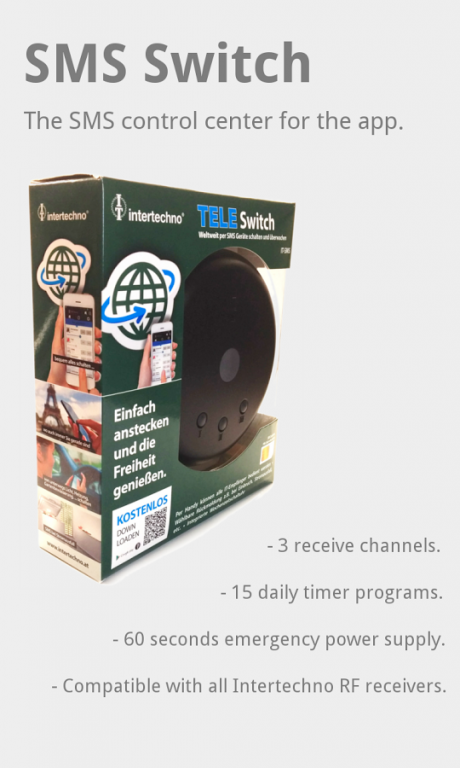
The SMS switch is the first home automation system fully controllable with SMS messages. A SIM card fitted makes the device accessible from anywhere, even when no Internet connection is available. Roller shutters can be activated, or the heating in the holiday home switched on, using simple SMS messages. The free Android or iOS App provides an even higher level of convenience. A timer fitted enables up to 210 automatic switch operations per week. Three wireless receivers fitted use SMS messages to provide information on status changes. An emergency power supply is also integrated and provides information on power failure using SMS messages.
All products from intertechno Funk-Technik sold since 1995 can be used as switches and transmitters.
Available in electrical retailers and DIY stores since March 2015.
More information is available from:
http://intertechno.at/produkte/smartphone/IT-SMS.html
About development:
Hardware and software development took place in Switzerland by Smart Home Technology and in close collaboration with intertechno.
About SMS Switch
The company that develops SMS Switch is Smart Home Technology GmbH. The latest version released by its developer is 2.1.0.
To install SMS Switch on your Android device, just click the green Continue To App button above to start the installation process. The app is listed on our website since 2016-02-03 and was downloaded 0 times. We have already checked if the download link is safe, however for your own protection we recommend that you scan the downloaded app with your antivirus. Your antivirus may detect the SMS Switch as malware as malware if the download link to ch.smarthometechnology.smsswitch.it is broken.
How to install SMS Switch on your Android device:
- Click on the Continue To App button on our website. This will redirect you to Google Play.
- Once the SMS Switch is shown in the Google Play listing of your Android device, you can start its download and installation. Tap on the Install button located below the search bar and to the right of the app icon.
- A pop-up window with the permissions required by SMS Switch will be shown. Click on Accept to continue the process.
- SMS Switch will be downloaded onto your device, displaying a progress. Once the download completes, the installation will start and you'll get a notification after the installation is finished.
Program Details
System requirements
Download information
Pricing
Version History
version Intertechno/2.1.0
posted on 2016-02-03
* Widgets: Control modules or run scenarios,* Tasker/Automate/Locale Plugin: Create your own automation processes, eg. using geofencing.,* Support for 14 new languages!,* Option to disable vibration on send,* Hide module action buttons to show only one,* Added ITR-1500 module,* Minor UI updates and bugfixes,Supported languages:,BG, CZ, DE, ES, FR, FI, GB, HR, HU, IT, NO, RO , SE, SI, SK, TR
Disclaimer
External Download
We do not host SMS Switch on our servers. We did not scan it for viruses, adware, spyware or other type of malware. This app is hosted by Galad and passed their terms and conditions to be listed there. We recommend caution when installing it.
The APK Download link for SMS Switch is provided to you by apps112.com without any warranties, representations or guarantees of any kind, so access it at your own risk.
If you have questions regarding this particular app contact the publisher directly. For questions about the functionalities of apps112.com contact us.
